Workspaces
A workspace is one set of books. If you keep the books for more than one business, each one gets its own workspace and you switch between them from a single login.
- Bookkeepers, accountants and CPAs: use a workspace per client. See Adding a new client.
- A single business: one workspace is all you need, and you already have it.
Everything belongs to a workspace: the banks you link, the transactions, the categories, the reconciliations and the reports. Nothing is shared between workspaces, so one client's books never appear in another's.
When you create an account we make your first workspace for you. You can add more at any time, and all you need is a name.
Billing is per workspace, and a subscription is only needed once you want to connect a bank in that workspace. Client workspaces you run from imported or manually entered transactions stay free. See Pricing.
Create a workspace
- Click the workspace dropdown in the header bar
- Click Add Workspace
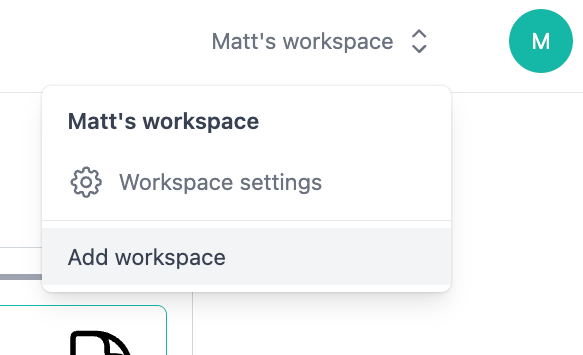
Switch between workspaces
Open the same dropdown and pick another workspace. The whole app follows: banks, transactions, categories and reports all switch to the workspace you chose, so you can move between clients without signing out.
Manage workspace settings
Load the workspace settings page to rename your workspace, invite members, remove members, or manage its plan.
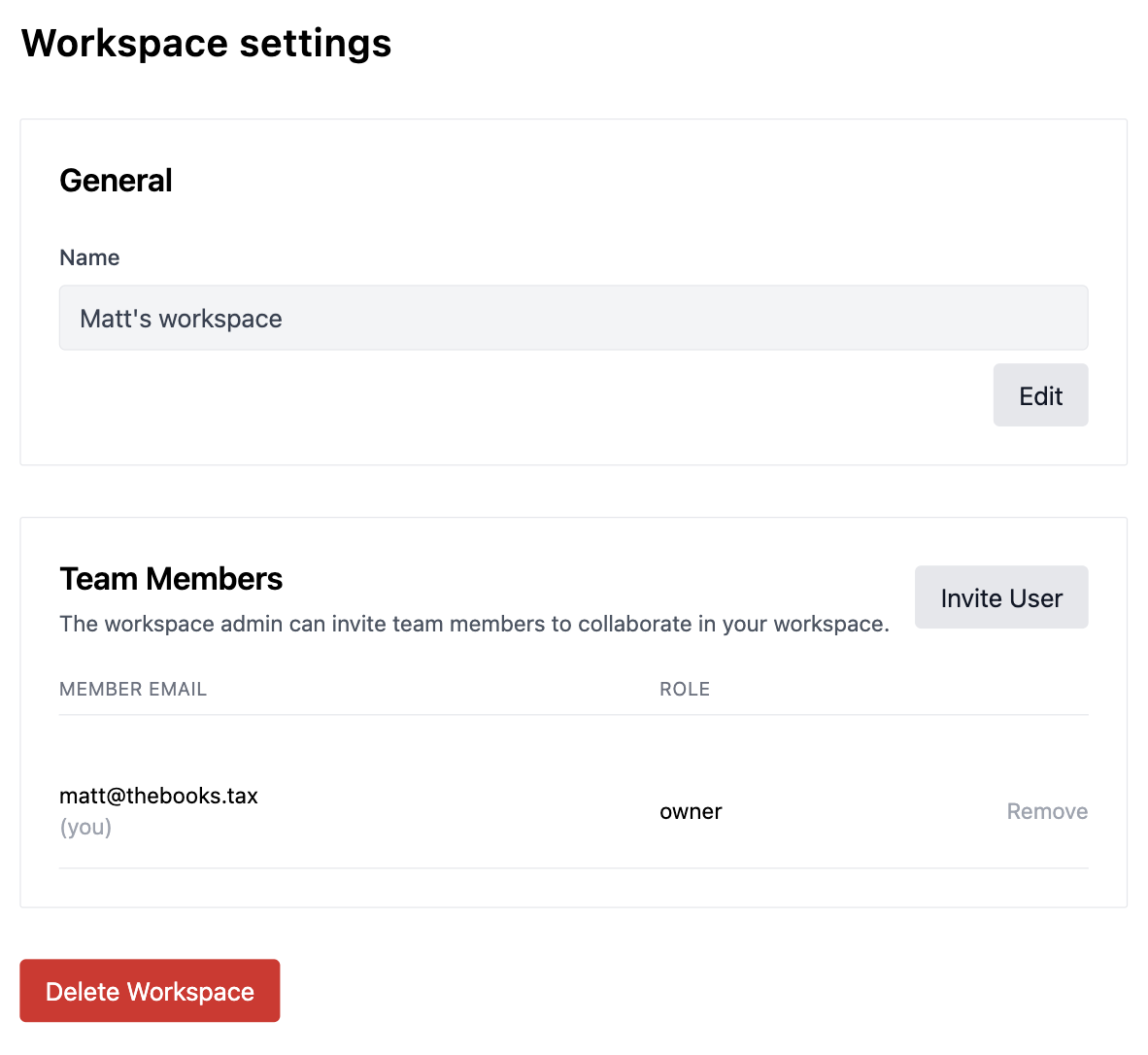
To invite a member, click Create Invite Link to generate a shareable link. Anyone with the link can join your workspace as a member.
Workspace roles and permissions
Whoever created the workspace is an admin. Anyone invited to the workspace is a member. Admins can change a member's role at any time using the pencil next to their name.
Members cannot delete a workspace, rename a workspace, invite users, remove users, or manage the plan. They can do everything else including adding banks, removing banks, managing reports, and re-categorizing transactions.
If you want a client to pay for their own workspace, invite them and then change their role to admin. Billing is an admin-only action, so a member cannot buy or cancel a subscription.