Transactions
Transactions are the foundation of TheBooks.tax platform. You can sync them from your bank account, or manually import them.
Connect a bank
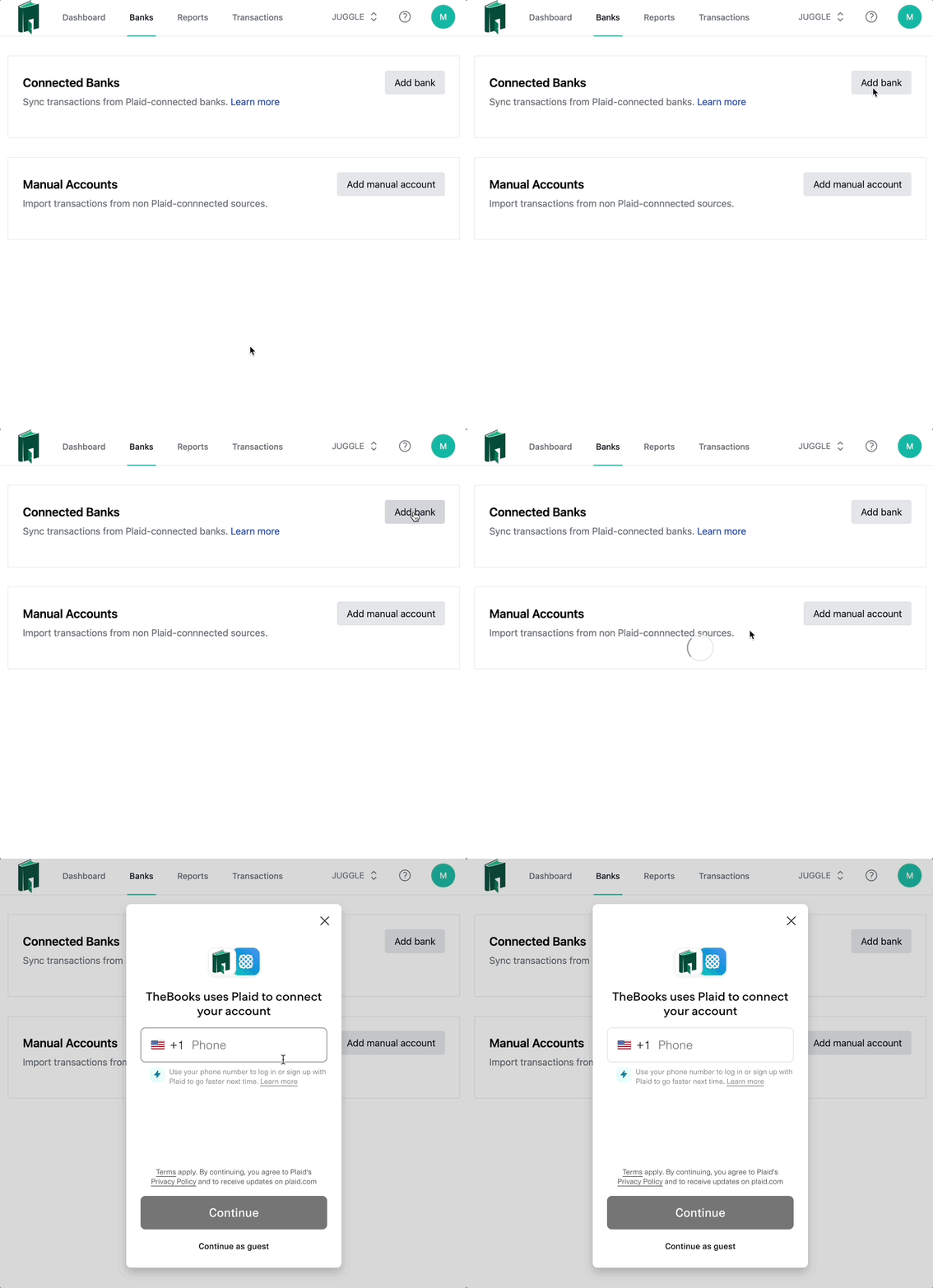
To get started, open the banks page, and click Add bank. Plaid will help guide you through the process of connecting an account. Once, linked. New transactions will automatically be synced to TheBooks.tax.
Import transactions manually
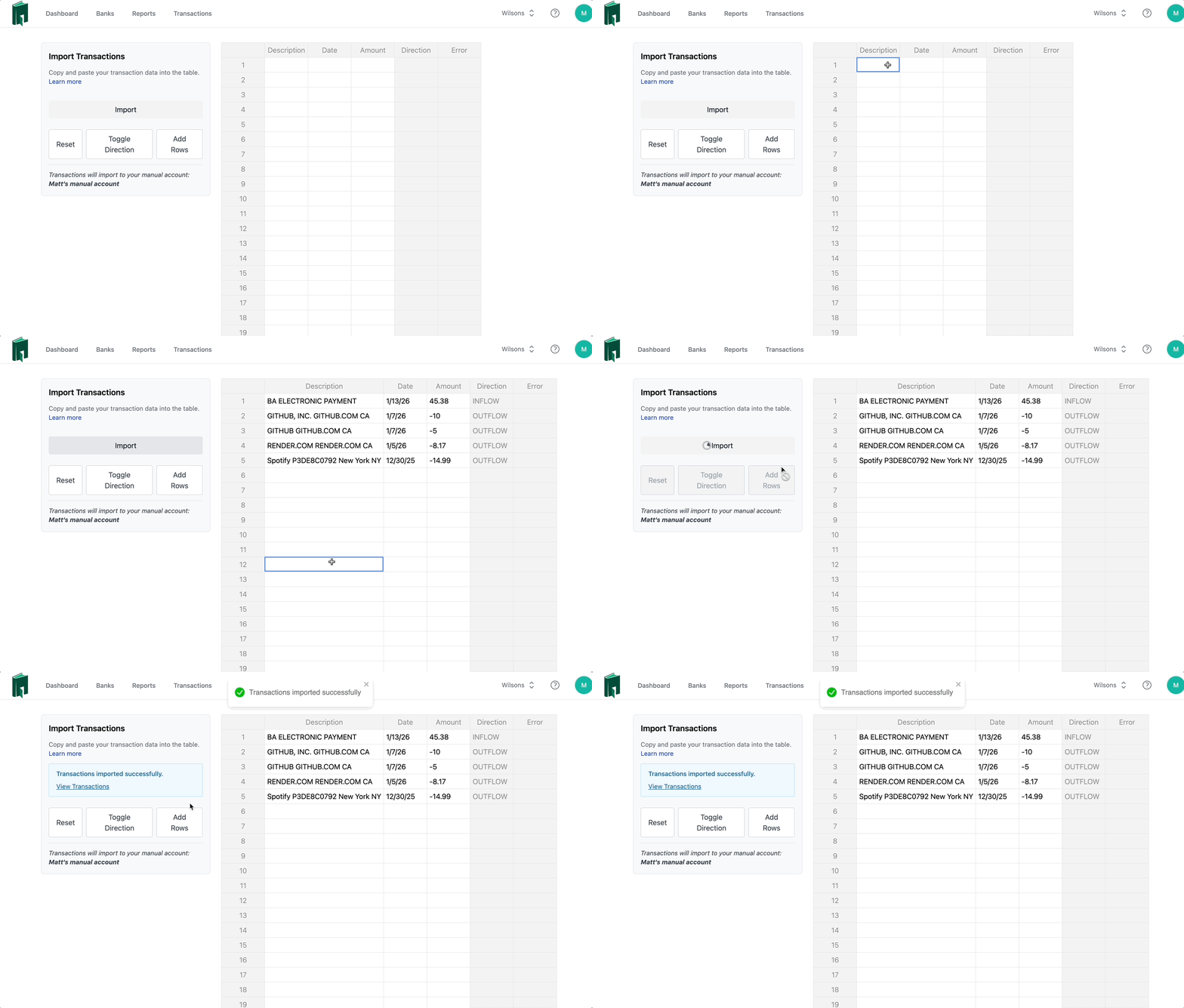
To get started, open the banks page, and click Add manual account. Name your manual account, then click the 3-dot icon and click Import Transactions.
Next, populate the import table, and click Import. Add as much detail as you can in the description field to improve categorization accuracy.
Supported date formats:
- yyyy-mm-dd (e.g. 2026-01-15)
- mm/dd/yyyy (e.g. 01/15/2026)
- m/d/yyyy (e.g. 1/15/2026)
- mm/dd/yy (e.g. 01/15/26)
- m/d/yy (e.g. 1/15/26)
- mmddyyyy (e.g. 01152026)
- mmddyy (e.g. 011526)
Unlink a bank
Select a linked bank and click Delete Bank. This will revoke TheBooks.tax access to the Bank's transactions.
Reconnect a bank
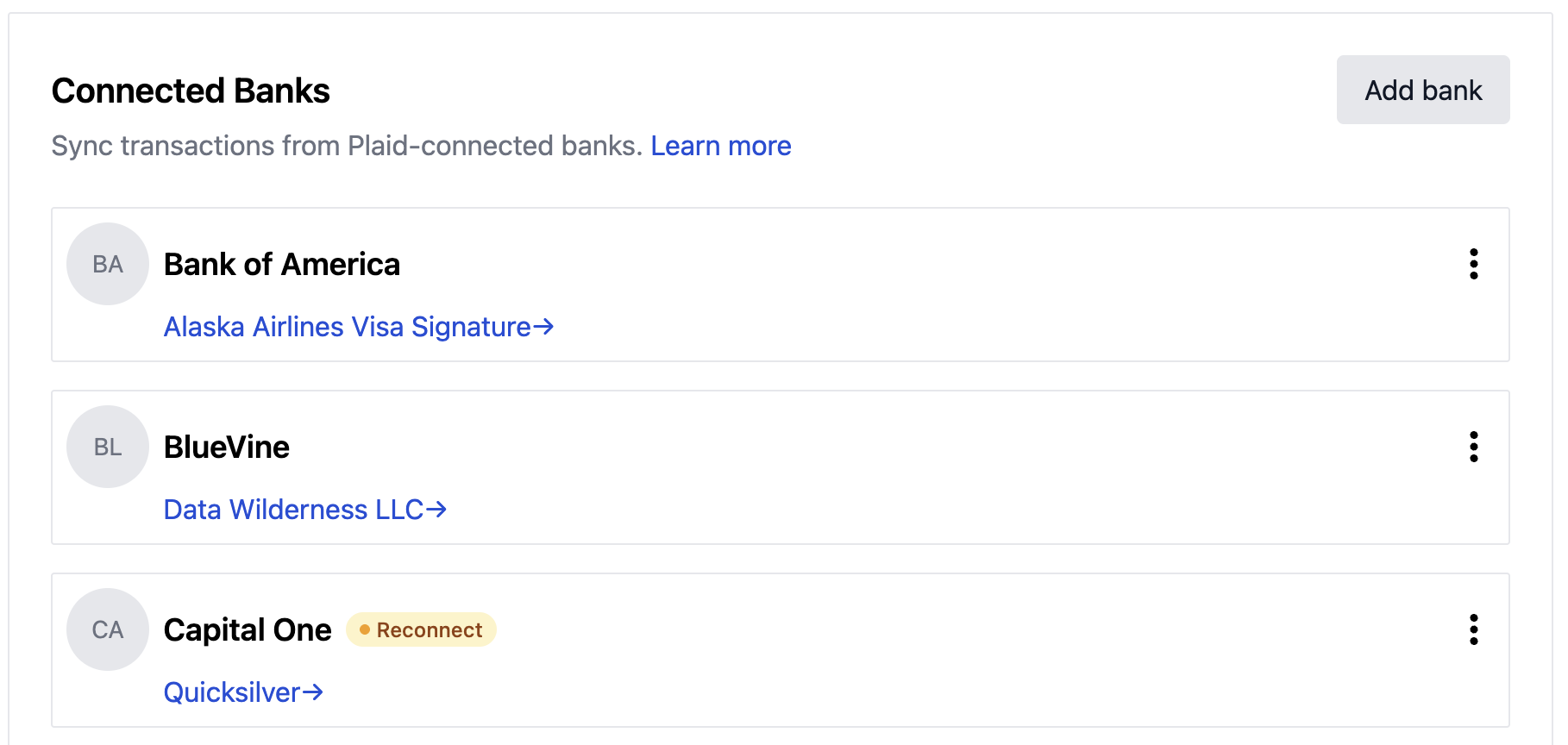
Changing your bank password may cause TheBooks.tax to lose its connection to your bank. If this happens, a reconnect badge will appear next to the bank name (see below):
Privacy
When you authorize TheBooks.tax to access your bank through Plaid, a token is saved. That token gives read-only access to limited bank transactions until the token expires or is revoked.
We never see or save your bank account numbers. No one on our team can see your transactions unless you explicitly grant permission for debugging.